
Categories and rules that file every transaction
Settings · Manage categories
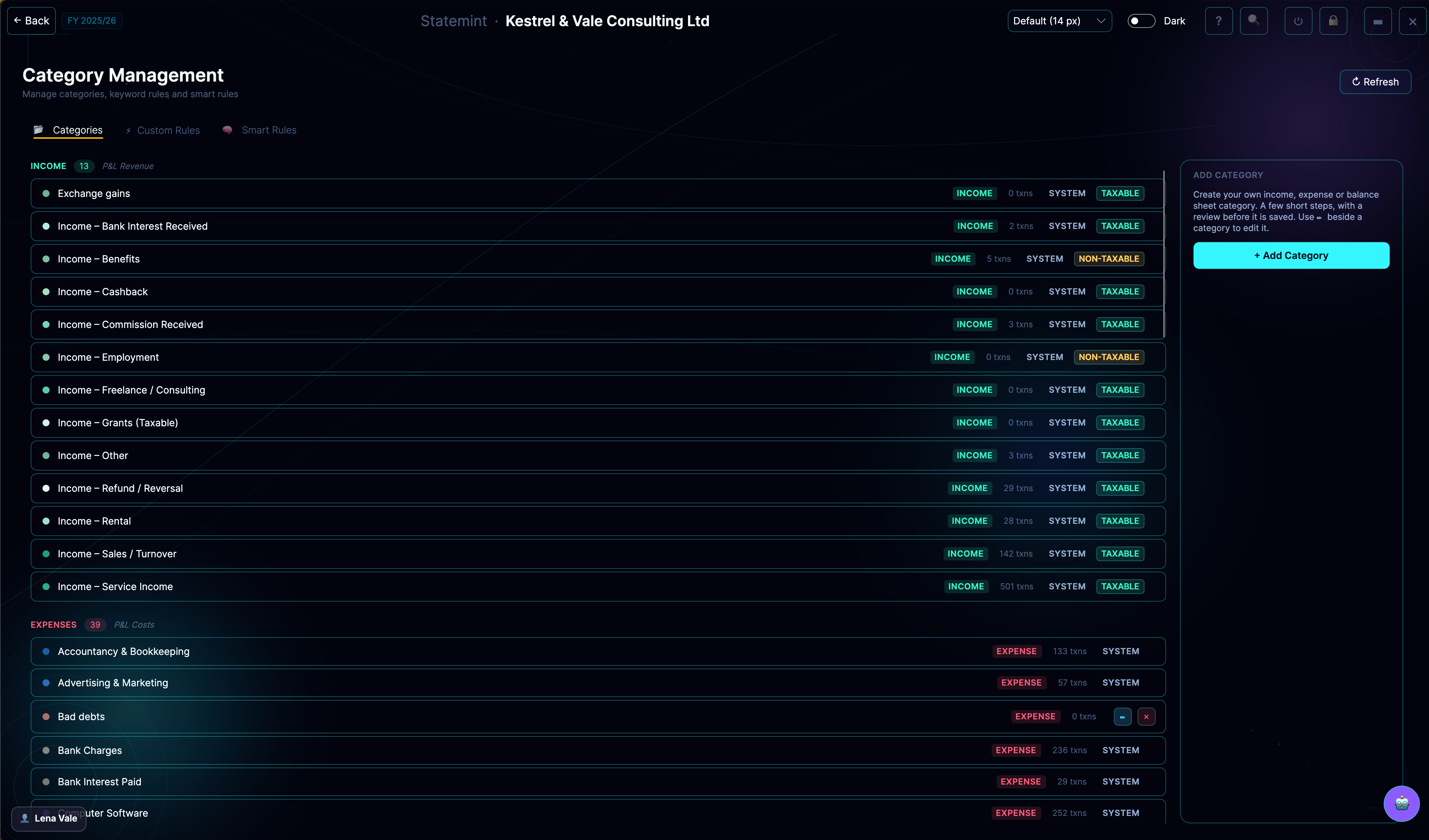
Categories are the backbone of your accounts. Each one has a type, a VAT treatment and a taxable setting that decide where its lines appear in reports, VAT and tax. Rules file imported lines into the right category automatically.
What you can do
- Use Income, Expense and Balance Sheet groups
- Add a category with a name, type, colour and VAT treatment
- Mark Income categories as taxable for Corporation Tax
- Create rules that file imported lines
- Edit categories as your business changes
Who it's for
Available to business accounts. Sole traders · Limited companies · Accountants & bookkeepers
Included in your plan
Every plan includes every feature for its business type, so Categories is part of your plan. See pricing.
Related features
Upload StatementAI bank importTransactionsBrowse & categoriseManagement AccountsMonthly management viewStatutory P&LHMRC full accounts layoutVAT ReturnsCalculations & filingCorporation TaxCT600 & CT planner
More Settings features · All features